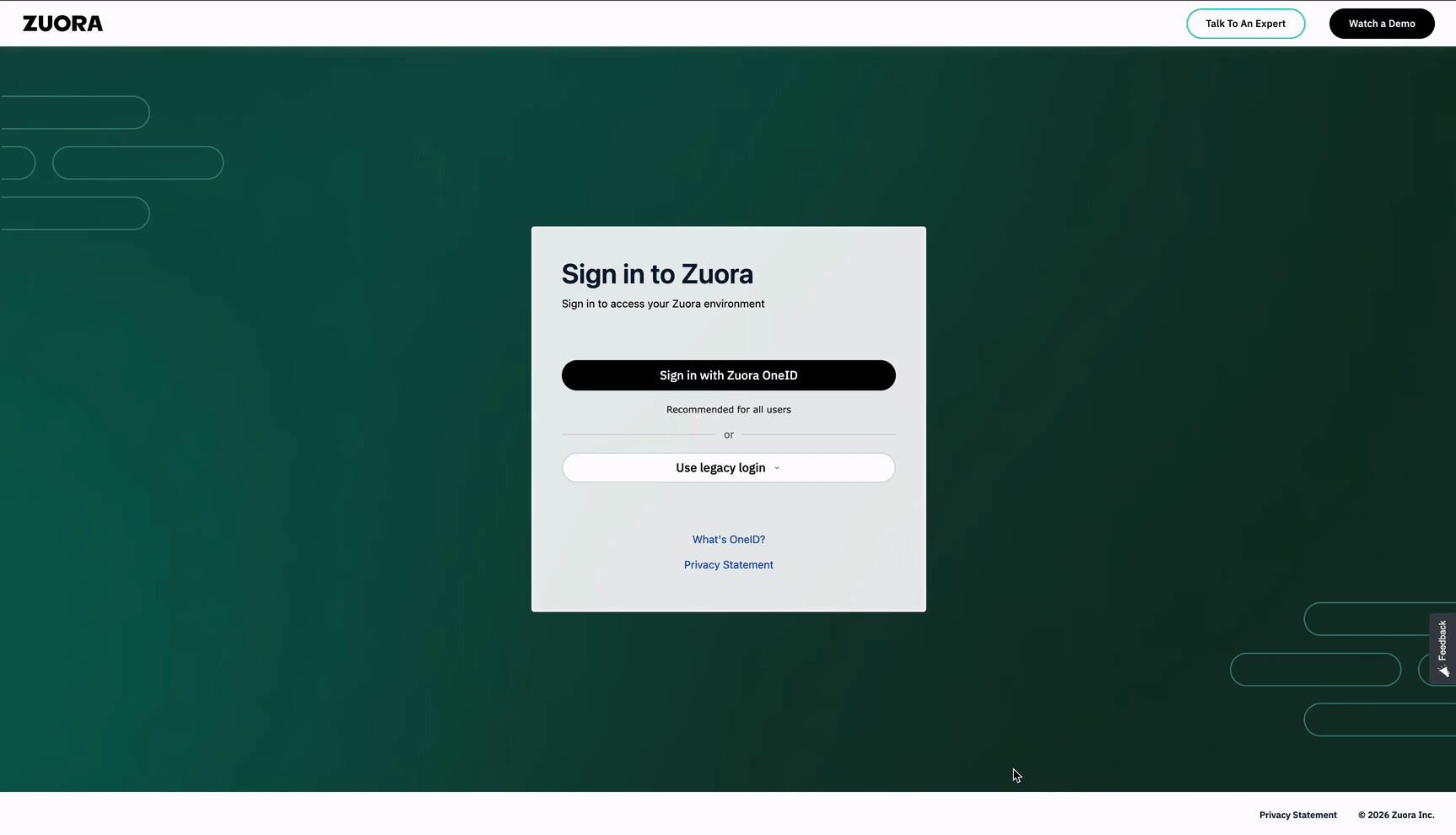
At Zuora, we're continuously improving security, usability, and consistency across our platform. As part of this effort, we're introducing a redesigned login experience that makes Zuora OneID the primary authentication method for accessing your Zuora environment.
What's Changing?
Beginning April 14, 2026, the new login interface will be available in all Sandbox environments, followed by a production rollout on May 12, 2026.
This update:
-
Prioritizes "Sign in with Zuora OneID" as the primary login method
-
Improves security and authentication standards
-
Provides a more consistent and streamlined user experience
No Action Required for Existing OneID Users
If your organization is already using Zuora OneID, no changes are required.
This includes customers who:
-
Access Zuora via one.zuora.com, or
-
Log in through their Identity Provider (IdP) dashboard or tile (SSO)
You can continue using your current login method without interruption.
What to Expect
We are rolling out this change in phases to help you prepare:
April 14, 2026 - Sandbox Environments
We strongly recommend using this time to test and update any integrations or automation.
May 12, 2026 - Production Environments
-
The new login experience will be live in production
-
Zuora OneID will be the default and recommended login option
-
Legacy login will remain temporarily available, but is strongly discouraged and will be deprecated in the future
Action Required: Update UI Automation Scripts
If your organization uses UI automation or testing scripts that interact with the Zuora login page, you will need to take action.
What you should do:
⚠️ Automation relying on the legacy login experience may break after this change.
Understanding Your Login Options
There are currently three ways to access your Zuora environments:
1. Highly Recommended: Unified Login via OneID
Go to one.zuora.com and sign in with your Zuora OneID account.
From there, you can:
This is the most secure and preferred method.
2. Environment-Specific Login with OneID
You can still navigate directly to environment URLs such as:
From there:
-
Choose "Sign in with Zuora OneID"
-
If you already have an active OneID session, you may be logged in automatically
3. Legacy Login (Limited Use)
You will also see an option to log in using the legacy username/password method on environment-specific login pages.
⚠️ This method is being phased out and will be deprecated in the future.
We recommend transitioning away from legacy login to ensure continued access and improved security.
Why Zuora OneID?
Zuora OneID provides:
-
🔐 Enhanced security with modern authentication protocols
-
🔄 Unified access across multiple tenants and services
-
⚡ Improved user experience with a simplified login flow
Need Help?
If you have questions or need assistance updating your login workflows or automation scripts, please contact Zuora Support.
------------------------------
Bharath Marimuthu
Zuora, Inc.
------------------------------